
Navigating federal legislation and identifying who funds political campaigns shouldn’t require an advanced law degree or hours spent combing through hundreds of pages of legal jargon. While official government records are public, accessing actionable information remains notoriously difficult for everyday voters.
Govvy (Govvy: US Politicians) is designed to bridge this civic information gap. Whether you want to know how your representative voted on a recent bill or learn how to track congressional donors influencing key policy decisions, this mobile platform packages complex legislative data into an accessible, pocket-friendly dashboard.
What Can You Find on Govvy?
Govvy organizes data pulled from public legislative databases into clean, readable cards on your screen. The primary civic research tools include:
- Elected Official Directories: Search by location or zip code to pull up your complete roster of federal and state representatives.
- Plain-English Legislative Summaries: AI-assisted breakdowns of active bills that explain the real-world impact of proposed laws without dense legal rhetoric.
- Roll-Call Voting Records: Track verified voting outcomes, bill co-sponsorships, and committee assignments for individual lawmakers.
- Campaign Donor Overviews: A look into who is financing specific politicians, including top industry sectors and Political Action Committees (PACs).
- Direct Office Outreach: Verified office phone numbers, official websites, and contact channels to call or write to your lawmakers directly.
Device & Platform Compatibility
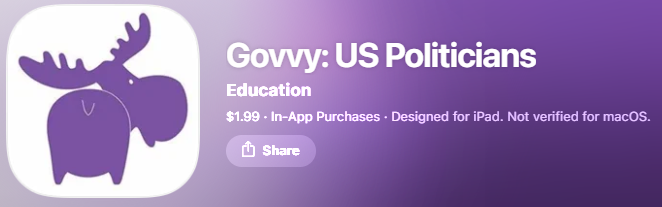
- Apple Mobile (iPhone & iPad): The primary way to use Govvy. Search for Govvy: US Politicians in the iOS App Store (look for the purple moose icon).
- Mac Computers: Can run on modern Macs with an M1 chip or newer, though it is an iPad port and “Not verified for macOS” (layouts may feel clunky with a mouse and keyboard).
- Android & Windows Users: Govvy is not available on Android or Windows. If you are on an Android device or PC, skip the app and explore their site at Govvy.app, or use the free web tools covered in our guides below.
Accessing Govvy: Web vs. Mobile
While Govvy was created primarily as a mobile experience (available for iOS and iPadOS devices), you don’t necessarily have to download an application to learn about the platform.
- Official Portal: You can visit Govvy.app directly in any web browser to explore their platform features, mission statement, and platform documentation.
- Mobile Download: Search for Govvy: US Politicians in the Apple App Store for on-the-go notifications and interactive bill tracking.
Free vs. Govvy Pro: What Does It Cost and What Do You Get?
Govvy operates on a freemium model. You do not need to enter a credit card to download the app and access basic lookup features, but deeper investigative tools sit behind a paid subscription.
The Price Point:
- Base Download: Listed at $1.99 in the App Store (check active store listings for promotional periods).
- Govvy Pro: Typically runs $2.99 to $4.99 per month, or around $29.99 per year when billed annually.
What You Get with the Free Tier:
- Basic federal and state representative lookups by address.
- Official office contact information, social links, and public office phone lines.
- Browsing capabilities for trending legislation, newly introduced bills, and standard vote tallies.
- High-level overviews of committee assignments and bill sponsorship lists.
What Govvy Pro Unlocks:
- Advanced Donor & PAC Analytics: In-depth financial breakdowns showing corporate PAC contributions, dark money channels, and historical donor trends.
- Unlimited Bill Alerts: Real-time push notifications whenever a bill you follow is amended, assigned to a committee, or scheduled for a vote.
- Uncapped AI Summaries: Unlimited, on-demand plain-language translations of complex, multi-page legislation.
- Side-by-Side Politician Comparisons: Direct voting record comparisons to see where two lawmakers agree or diverge on specific issues.
Budget Tip: Access Deep Civic Data for Free
If a monthly subscription isn’t in your budget right now, you don’t have to miss out on vital public data. The public records Govvy packages can be researched completely free of charge on your computer.
- Follow the Money: Instead of paying for an in-app donor breakdown, read our guide on How to Track Campaign Contributions: A Citizen’s Guide to Dark Money and Super PACs, which walks you through analyzing PAC contributions, corporate lobbying, and donor networks using OpenSecrets at zero cost.
- Official Bill Tracking: For unlimited, official status alerts and complete legislative texts without paywalls, explore the federal database directly at Congress.gov.
The Final Verdict
Govvy is a helpful, well-designed pocket tool for staying civically aware and tracking everyday votes on your commute.
If you are satisfied with high-level summaries and representative contact info, the free app tier is well worth having on your phone.
For heavy, unrestricted investigative tracking, you can either upgrade to Govvy Pro or utilize the robust, free desktop archives we’ve previously covered.