
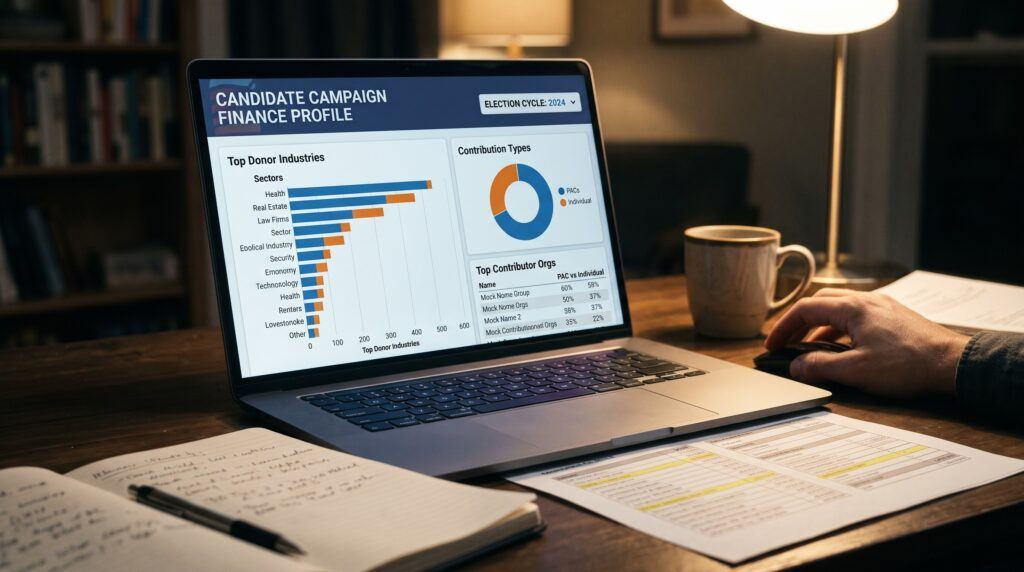
To use OpenSecrets, search your representative’s name at opensecrets.org, open their candidate profile, and select the election cycle you want.
Then read the top donors, the top industries, and the split between itemized and small donations.
Check any figure against the Federal Election Commission filings before you share it.
How do you look up your representative on OpenSecrets?
You look up your representative by typing their name into the search box on the OpenSecrets home page and choosing their candidate profile from the results. If you don’t know who represents you, find your House district first through the House of Representatives’ “Find Your Representative” tool on house.gov, using your ZIP code and street address if the ZIP spans several districts.
Once the profile opens, check the election cycle before you read anything. A cycle covers two years, and a House member’s page can show several of them. If you also look up your Senators, OpenSecrets defaults to a six-year cycle to match a full Senate term, though you can still switch to individual two-year periods. The default view may be the most recent cycle, or a career total, depending on how you arrived, so the label near the top matters. Money raised for the 2026 election cycle will look very different from a figure that adds up a decade of fundraising.
Also confirm that you have the right person. Common names can return more than one candidate, including challengers who never held office. Match the state, district number and party before you go further.
The profile has a summary and then separate sections for donors, industries and other details. Section names change as the site is redesigned, so look for the ones that name contributors, industries and outside spending rather than relying on exact tab labels.
What does the top donors list actually tell you?
The top donors list tells you which organizations are linked to the largest amounts given to your representative’s campaign committee in the selected cycle. It is a ranked list, and the first thing to learn is what each name on it means.
OpenSecrets states that the organizations listed are generally not the donors themselves. The money comes from the organization’s political action committee (PAC), or from its employees and owners and their immediate family members, who gave as individuals. A line reading a hospital system or a law firm usually means a group of people connected to that employer gave, sometimes alongside a PAC. The employer, as a company, typically cannot give directly to a federal candidate.
This changes how you describe what you find. “Employees and PAC members associated with Company X gave $Y” is accurate. “Company X gave $Y” is shorthand that overstates what the data shows, and it is the kind of wording that gets a post corrected in the replies.
Most profiles also show the split between PAC money and individual money for each name, and that split is worth reading. A list dominated by PAC contributions points to organized, institutional giving. A list dominated by individuals may reflect a workforce that gave on its own, which is a different story even when the totals are similar.
You may also see names on the list that are not companies or unions at all, but Joint Fundraising Committees (JFCs) or Leadership PACs. A joint fundraising committee is a shared account that lets a candidate team up with a party committee or other lawmakers to raise large checks in one place and split the proceeds, so the money shown under a JFC name is really a bundle of contributions passed through from many underlying donors. A leadership PAC, meanwhile, is a separate committee run by a member of Congress to raise money for fellow party candidates rather than their own race. When either appears near the top of a donor list, it reflects party-level fundraising networks rather than support from a single outside employer.
Look at the size of the top entries too. Compare the top donor to the total raised. If the largest entry is a small share of the whole, no single source dominates the campaign.
How do you read a representative’s top industries?
You read the top industries by treating them as categories OpenSecrets assigns to donors, not as a list of who is lobbying your representative. The industries view groups contributions by the sector the donor belongs to, such as health professionals, real estate, securities and investment, or retirees.
The grouping is done by the researchers at OpenSecrets using the employer and occupation that donors report on their filings. That makes it a useful summary and also a judgment call. A donor who lists an unusual employer may be placed in a broad category, and some individuals report no employer at all. Retired donors, for example, appear in their own category rather than in the field they worked in.
Three habits help when you read this section:
- Compare industries to your representative’s committee assignments. A member on a health committee receiving heavy support from health sector donors is a pattern worth noting, though the data alone does not show cause and effect.
- Compare industries to the local economy. A district built around agriculture or shipping may simply have donors from those sectors, which says something about geography, not influence.
- Look at both the dollar amounts and how they are divided between PAC and individual giving, as you did with the donors list.
An industry ranking shows where the money came from. It does not show what your representative did in return, and it does not show whether the donation changed any vote. Researchers who study that question find it hard to answer, so be wary of any chart that claims to settle it.
What is the difference between itemized donations and totals?
The difference is that totals include every dollar raised, while itemized donations are the individual contributions the law requires campaigns to list by name. Under federal rules, a campaign committee must itemize contributions from a person once they add up to more than $200 in an election cycle. Smaller contributions are reported only as a combined, unitemized amount.
This matters because the top donors list is built from the itemized records. Donors who gave small amounts, even thousands of them, cannot appear by name, and the money they gave sits in the “small individual contributions” figure. OpenSecrets shows that figure on the profile, usually as a dollar amount and a share of the total.
Reading it correctly gives you two different pictures of one campaign:
- A representative with a high share of small contributions raised much of the money from many people giving modest amounts, which the name list cannot show you.
- A representative with a low small-donation share relied more on larger gifts and PAC money, and the top donors list will describe more of the campaign.
Also check whether the candidate contributed or loaned money to their own campaign. Self-funding shows up separately in the funding breakdown. When a wealthy candidate finances a large share of the race personally, both the small-donor percentage and the top-donor list will naturally represent a much smaller slice of the total raised.
If you only look at the named donors, you can badly misjudge a campaign in either direction. A candidate funded mostly by small online gifts may look like they depend on a handful of institutions, and a candidate funded by large checks may look more grassroots than they are. Compare the total raised, the small-donor share and the largest named contributors together before you draw a conclusion.
What can OpenSecrets not show you on its own?
OpenSecrets cannot show you who is behind spending that is not reported as a contribution to your representative, and it cannot show you motive. The candidate profile covers money that went to the candidate’s own committee and related reported sources. A great deal of political spending happens outside it.
Super PACs, for example, can raise and spend unlimited amounts to support or oppose a candidate, as long as they do not coordinate with the campaign. OpenSecrets tracks outside spending in its own section, but that money is not part of the candidate’s top donors list. Some nonprofit groups that spend on political messaging do not have to disclose their donors at all, which is what people mean by dark money. In those cases the site can show the spending, but often not the source.
Other gaps are simpler. Filings arrive on a schedule, so the newest weeks of fundraising may not appear yet. Data can also lag behind the Federal Election Commission’s own database while OpenSecrets processes and categorizes it. And the data covers money, not influence: it does not capture meetings, lobbying contacts or personal relationships.
For the wider picture of how super PACs and undisclosed spending work, the campaign contributions guide linked at the end of this article goes into it in more depth than a profile walkthrough can.
How do you check what you find before you share it?
You check what you find by tracing each number back to the filing it came from, then writing the claim in the narrowest wording the data supports. OpenSecrets draws on records filed with the Federal Election Commission, and the FEC’s website lets you search those records directly at fec.gov.
A short routine before you post or send anything:
- Note the election cycle and the date of the last update shown on the page.
- Open the same candidate’s committee on the FEC site and confirm the total raised matches, allowing for timing differences.
- For any named donor you plan to mention, check whether the figure covers a PAC, individuals, or both.
- Write the claim with the right subject: “people associated with” an employer, not the employer itself.
- Say which cycle you mean and link to the page you used so others can look at the same data.
Avoid implying a link between a donation and a decision. A donor list and a voting record are two separate sets of facts, and placing them side by side in a post invites readers to infer a cause you have not shown. State each fact on its own terms and let readers judge.
Keep going with the Observer’s Lounge resources page for more tools like this one, and read the campaign contributions guide for the wider dark money and super PAC picture.